
What Drains The Tank? – Factors That Undermine Cellular Energy

Crashed and Burned

  • Modern lifestyles drain cellular energy faster than it’s replenished, as mitochondria struggle to produce adequate ATP, leading to systemic dysfunction and setting the stage for chronic illness
  • Ultraprocessed foods, especially those high in vegetable oils and processed sugars, disrupt mitochondrial function while lacking essential nutrients for cellular health
  • Sedentary behavior reduces mitochondrial biogenesis and impairs muscle function, circulation and hormone regulation, creating a cascade of metabolic dysfunction that compromises overall energy production
  • Environmental toxins, including endocrine disruptors, heavy metals and electromagnetic fields (EMFs), damage mitochondria and overwhelm your body’s detoxification systems
  • Identifying and addressing factors that undermine your mitochondrial function is essential for optimizing your cellular energy, as resolving these barriers unlocks the body’s natural ability to heal and thrive

https://nexusnewsfeed.com/article/home-family-pets/what-drains-the-tank-factors-that-undermine-cellular-energy/

Quote of The Day

“Art, freedom and creativity will change society faster than politics.” – Victor Pinchuk, Businessman and Philanthropist (born 1960)

The Potsdam Gravity Potato

Potsdam Gravity Potato

The “Potsdam Gravity Potato” shows the differences in gravity on Earth’s surface. It has a potato-like shape due to variations in Earth’s mass distribution, causing local gravitational anomalies that appear as an irregular shape when mapped.

The Indian Ocean has the world’s largest gravity ‘black hole,’ which is the most recessed part of the potato (marked with blue). This spot is called the Indian Ocean Geoid Low (IOGL), and it is the largest gravity anomaly on our planet, covering an area of about 3 million square kilometers, almost the size of India itself. Due to the low gravity there, the sea level over the IOGL is up to 106 m (348 ft) lower than the global average. That means if you were to sail across the anomaly, you would be closer to Earth’s center than anywhere else on the ocean.

New Data On Egyptian Pyramids

Egyptian Pyramids

A centuries-old rumor has finally been confirmed: the pyramids of Giza hold secrets beyond their majestic exteriors. In 2025, revolutionary scans revealed an astonishing subterranean world beneath the Khafre Pyramid. The discoveries include five tiered structures, eight deep, cylindrical shafts descending 648 meters, and two enormous cube-shaped chambers spanning 2 kilometers beneath the Giza Plateau.
Researchers from the University of Pisa and the University of Strathclyde employed cutting-edge Synthetic Aperture Radar (SAR) tomography to unearth these hidden wonders. This breakthrough is rewriting the history of the pyramids and challenging our understanding of ancient civilizations.
Theories abound about the purpose of these underground structures. Some propose they may be remnants of a sophisticated, ancient culture – or even components of a lost energy grid, echoing Nikola Tesla’s theories that the pyramids once tapped into natural energy sources. Could this discovery be proof that the Great Pyramids were more than just tombs, but rather testaments to a long-lost, advanced technology? And if so, what other secrets lie hidden beneath Egypt’s sands?

Keyboard Shortcuts

Keyboard Shortcuts

CTRL+A – Select All
CTRL+C – Copy
CTRL+X – Cut
CTRL+V – Paste
CTRL+Z – Undo
CTRL+B – Bold
CTRL+U – Underline
CTRL+I – Italic
F1 – Help
F2 – Rename selected object
F3 – Find all files
F4 – Opens file list drop-down in dialogs
F5 – Refresh current window
F6 – Shifts focus in Windows Explorer
F10 – Activates menu bar options
ALT+TAB – Cycles between open applications
ALT+F4 – Quit program, close current window
ALT+F6 – Switch between current program windows
ALT+ENTER – Opens properties dialog
ALT+SPACE – System menu for current window
ALT+¢ – opens drop-down lists in dialog boxes
BACKSPACE – Switch to parent folder
CTRL+ESC – Opens Start menu
CTRL+ALT+DEL – Opens task manager, reboots the computer
CTRL+TAB – Move through property tabs
CTRL+SHIFT+DRAG – Create shortcut (also right-click, drag)
CTRL+DRAG – Copy File
ESC – Cancel last function
SHIFT – Press/hold SHIFT, insert CD-ROM to bypass auto-play
SHIFT+DRAG – Move file
SHIFT+F10 – Opens context menu (same as right-click)
SHIFT+DELETE – Full wipe delete (bypasses Recycle Bin)
ALT+underlined letter – Opens the corresponding menu

PC Keyboard Shortcuts
Document Cursor Controls
HOME – to beginning of line or far left of field or screen
END – to end of line, or far right of field or screen
CTRL+HOME – to the top
CTRL+END – to the bottom
PAGE UP – moves document or dialog box up one page
PAGE DOWN – moves document or dialog down one page
ARROW KEYS – move focus in documents, dialogs, etc.
CTRL+ > – next word
CTRL+SHIFT+ > – selects word

Windows Explorer Tree Control
Numeric Keypad * – Expand all under current selection
Numeric Keypad + – Expands current selection
Numeric Keypad – – Collapses current selection
¦ – Expand current selection or go to first child
‰ – Collapse current selection or go to parent

Special Characters
‘ Opening single quote – alt 0145
’ Closing single quote – alt 0146
“ Opening double quote – alt 0147
” Closing double quote – alt 0148
– En dash – alt 0150
— Em dash – alt 0151
… Ellipsis – alt 0133
• Bullet – alt 0149
® Registration Mark – alt 0174
© Copyright – alt 0169
™ Trademark – alt 0153
° Degree symbol – alt 0176
¢ Cent sign – alt 0162
¼ – alt 0188
½ – alt 0189
¾ – alt 0190

PC Keyboard Shortcuts
é – alt 0233
É – alt 0201
ñ – alt 0241
÷ – alt 0247

File menu options in current program
Alt + E Edit options in current program
F1 Universal help (for all programs)
Ctrl + A – Select all text
Ctrl + X – Cut selected item
Shift + Del – Cut selected item
Ctrl + C – Copy selected item
Ctrl + Ins – Copy selected item
Ctrl + V – Paste
Shift + Ins – Paste
Home – Go to beginning of current line
Ctrl + – Home Go to beginning of document
End – Go to end of current line
Ctrl + – End Go to end of document
Shift + – Home Highlight from current position to beginning of line
Shift + – End Highlight from current position to end of line
Ctrl + f – Move one word to the left at a time
Ctrl + g – Move one word to the right at a time

MICROSOFT® WINDOWS® SHORTCUT KEYS
Alt + Tab – Switch between open applications
Alt + Shift + Tab – Switch backwards between open
applications
Alt + Print Screen – Create screen shot for current program
Ctrl + Alt + Del – Reboot/Windows® task manager
Ctrl + Esc – Bring up start menu
Alt + Esc – Switch between applications on taskbar
F2 – Rename selected icon
F3 – Start find from desktop
F4 – Open the drive selection when browsing
F5 – Refresh contents
Alt + F4 – Close current open program
Ctrl + F4 – Close window in program
Ctrl + Plus Key – Automatically adjust widths of all columns in Windows Explorer
Alt + Enter – Open properties window of selected icon
or program
Shift + F10 – Simulate right-click on selected item
Shift + Del – Delete programs/files permanently
Holding Shift During Bootup – Boot into safe mode or bypass system files
Holding Shift During Bootup – When putting in an audio CD, will prevent CD Player from playing

WINKEY SHORTCUTS
WINKEY + D – Bring desktop to the top of other windows
WINKEY + M – Minimize all windows
WINKEY + SHIFT + M – Undo the minimize done by WINKEY + M
and WINKEY + D
WINKEY + E – Open Microsoft Explorer
WINKEY + Tab – Cycle through open programs on taskbar
WINKEY + F – Display the Windows® Search/Find feature
WINKEY + CTRL + F – Display the search for computers window
WINKEY + F1 – Display the Microsoft® Windows® help
WINKEY + R – Open the run window
WINKEY + Pause /Break – Open the system properties window
WINKEY + U – Open utility manager
WINKEY + L – Lock the computer (Windows XP® & later)

OUTLOOK® SHORTCUT KEYS
Alt + S – Send the email
Ctrl + C – Copy selected text
Ctrl + X – Cut selected text
Ctrl + P – Open print dialog box
Ctrl + K – Complete name/email typed in address bar
Ctrl + B – Bold highlighted selection
Ctrl + I – Italicize highlighted selection
Ctrl + U – Underline highlighted selection
Ctrl + R – Reply to an email
Ctrl + F – Forward an email
Ctrl + N – Create a new email
Ctrl + Shift + A – Create a new appointment to your calendar
Ctrl + Shift + O – Open the outbox
Ctrl + Shift + I – Open the inbox
Ctrl + Shift + K – Add a new task
Ctrl + Shift + C – Create a new contact
Ctrl + Shift + J – Create a new journal entry

WORD® SHORTCUT KEYS
Ctrl + A – Select all contents of the page
Ctrl + B – Bold highlighted selection
Ctrl + C – Copy selected text
Ctrl + X – Cut selected text
Ctrl + N – Open new/blank document
Ctrl + O – Open options
Ctrl + P – Open the print window
Ctrl + F – Open find box
Ctrl + I – Italicize highlighted selection
Ctrl + K – Insert link
Ctrl + U – Underline highlighted selection
Ctrl + V – Paste
Ctrl + Y – Redo the last action performed
Ctrl + Z – Undo last action
Ctrl + G – Find and replace options
Ctrl + H – Find and replace options
Ctrl + J – Justify paragraph alignment
Ctrl + L – Align selected text or line to the left
Ctrl + Q – Align selected paragraph to the left
Ctrl + E – Align selected

Geoengineering CEO

Geoengineering CEO

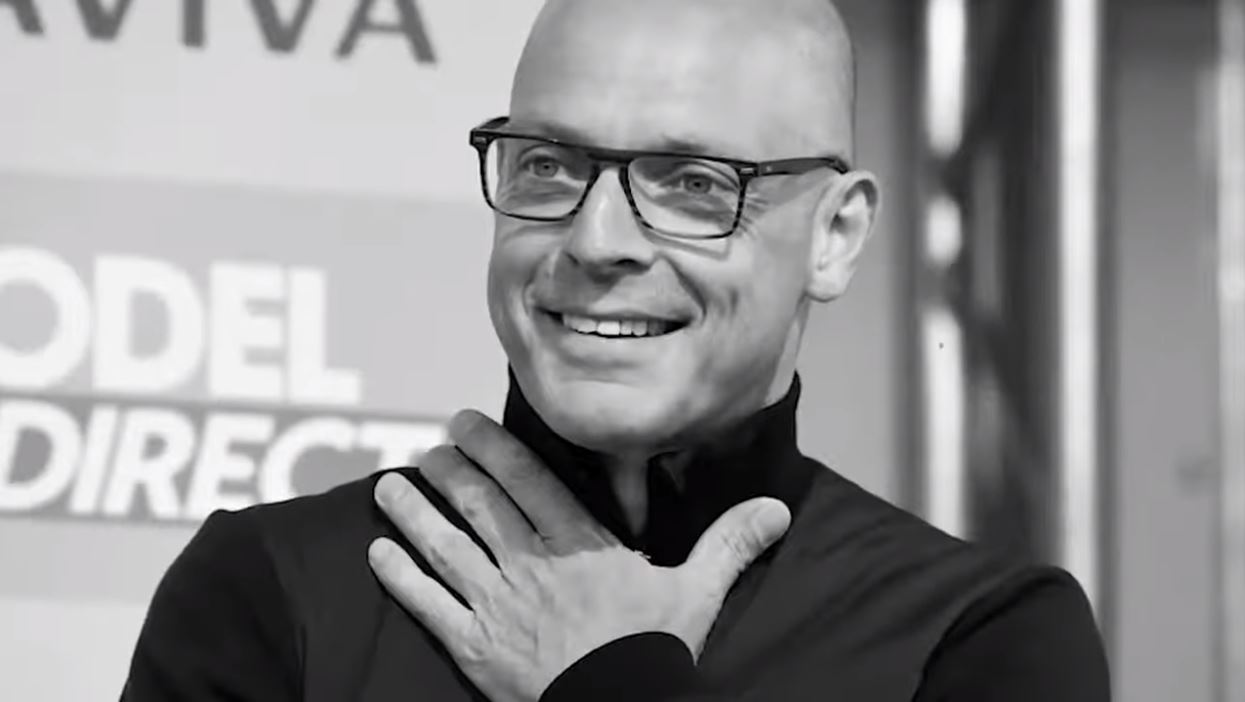
Ever wonder who’s REALLY behind weather modification?

This guy is the CEO of one of the most powerful geoengineering companies in the world.

He just showed up to DEFEND cloud seeding, chemical spraying, and even electric weather manipulation — and he’s fighting to keep it going in Florida.

Why is he pushing so hard for this?

https://x.com/i/status/1904728080708755641

Quote of the Day

“A little more persistence, a little more effort, and what seemed hopeless failure may turn to glorious success.” – Elbert Hubbard, Author (1856 – 1915)

Health Tips From A 104 Year Old Japanese Doctor

Dr Shigeaki Hinohara

Specific foods mentioned are:

1. Avoid Sugar and Processed Foods.

2. Nuts and Seeds

3. Beans and Legumes

4. Olive Oil

5. Whole Grains
Barrow, bolger, oats, quinoa, brown rice.

6. Fermented Foods
Sauerkraut, kimchi, kombucha

7. Leafy Greens
Collard greens, arugula, spinach, kale, Swiss chard and mustard greens

General health tips mentioned were:
A balanced, nutrient-dense diet
Staying physically active
Not overweight
Not overeating
Having and following a purpose
Enough sleep
Minimizing stress
Social connections

https://www.youtube.com/watch?v=PPxjAKBeZG8